1. Why Can't I Use Visa or Mastercard Directly? (The Credit Card Ban Explained)
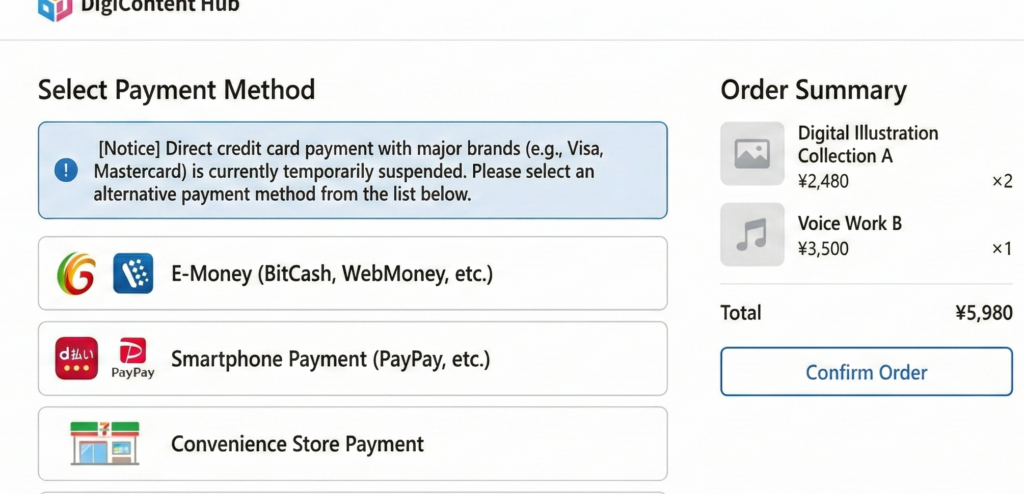
So, you found a god-tier game or doujin on DLsite, tossed it in your cart, and… wait, why is my credit card getting rejected?
If you're dealing with this right now, you're not alone. Recently, major credit card companies like Visa and Mastercard have been heavily restricting NSFW content. Because of this, direct payments with Visa and Mastercard are currently suspended on DLsite's main checkout page.
Note: If you have a Japanese JCB card, you might still be able to checkout directly, but for most overseas users, standard credit cards will get blocked.
But don't panic! There is a perfectly safe and easy workaround. You can still use your Visa, Mastercard, and tons of other local payment methods by buying "DLsite Points" first! Let's break down how it works.
2. The Ultimate Workaround: Buy DLsite Points First
Instead of trying to pay for the game directly at checkout, you just need to buy DLsite Points through their official international payment partners. 1 DLsite Point = 1 JPY, so you don't lose any money in the process.
Once you have the points loaded into your account, you can buy any 18+ game or comic instantly.
Supported Payment Methods for Buying Points:
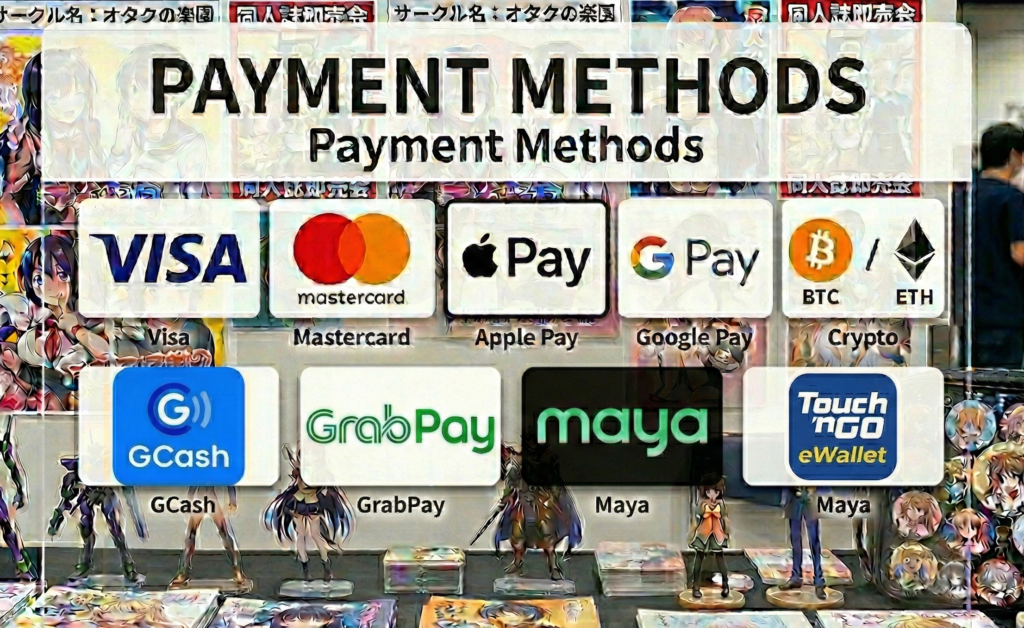
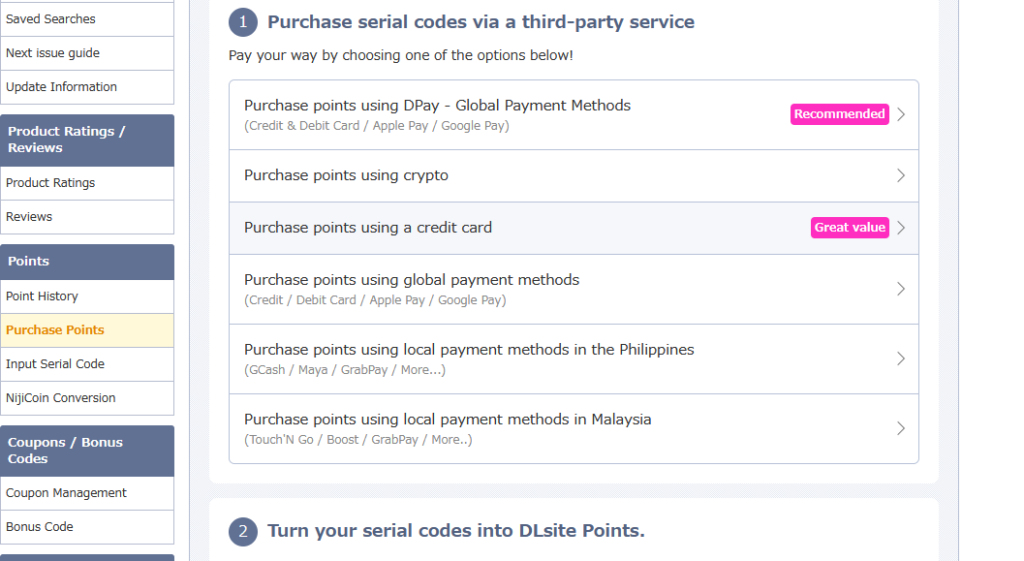
DLsite's partner gateways support a massive variety of payment options for international users:
- Credit Cards: Visa, Mastercard
- Digital Wallets: Apple Pay, Google Pay
- Cryptocurrency: Bitcoin, Ethereum, USDT, etc.
- Philippines e-Wallets: GCash, Maya, GrabPay
- Malaysia e-Wallets: Touch 'n Go eWallet
No matter where you are in the world, there's a payment method that works for you!
3. Step-by-Step: How to Buy DLsite Points
Here is how you can buy points and get your games in just a few minutes.
Step 1: Go to the Point Purchase Page
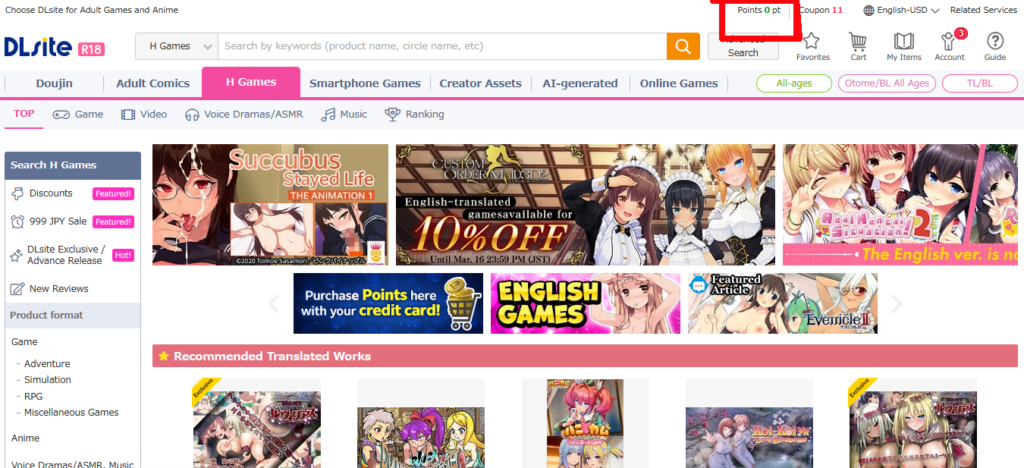
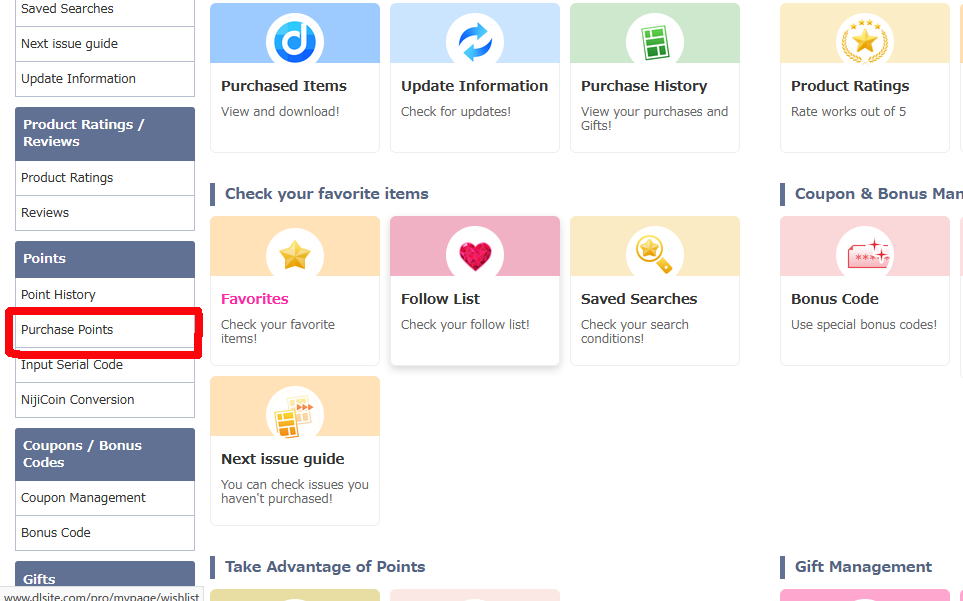
Log into your DLsite account and click on "Purchase Points" from your My Page or the top menu.
Step 2: Choose the International Payment Option
Scroll down the page to the "International Customers" section. Click on the official partner gateway (like "For Books" or similar international options provided on the page).
Step 3: Select Your Payment Method & Pay
Choose how many points you want to buy. On the checkout screen, select your preferred payment method—whether that's your Visa card, Apple Pay, Crypto, or your local e-wallet like GCash or Touch 'n Go. Complete the payment.
Step 4: Redeem Your Points and Buy the Game!
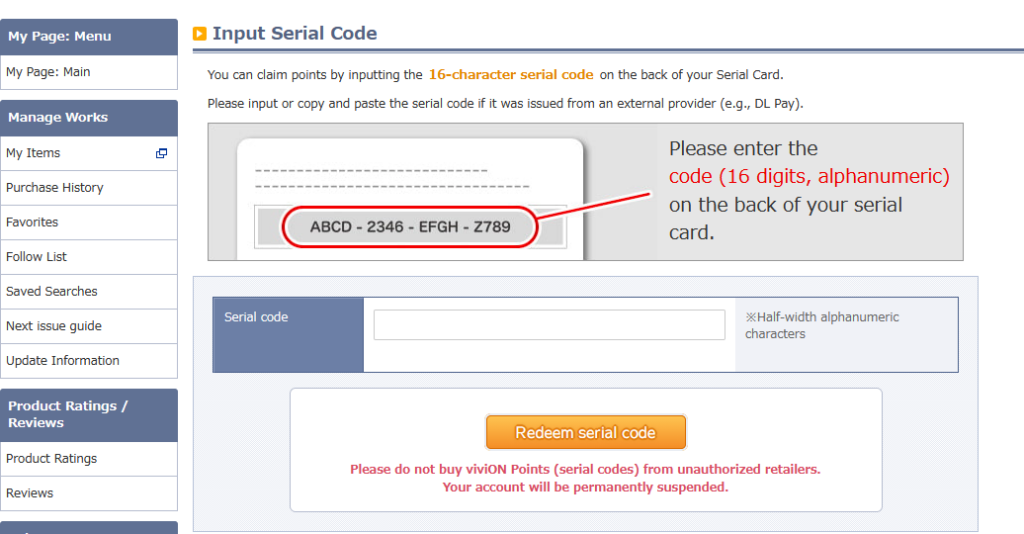
Once the payment is successful, you'll receive a PIN code (serial code). Head back to DLsite, paste that code into the "Receive points by serial code" field, and your account will be funded instantly!
Go back to your cart, select "DLsite Points" as your payment method, and enjoy your new game!
Wrap-up: Enjoy the Best of Japanese NSFW Content!
And that's it! Once you know this point-buying trick, you can safely buy whatever you want on DLsite using almost any payment method in the world. Now go grab that masterpiece you've been eyeing!
